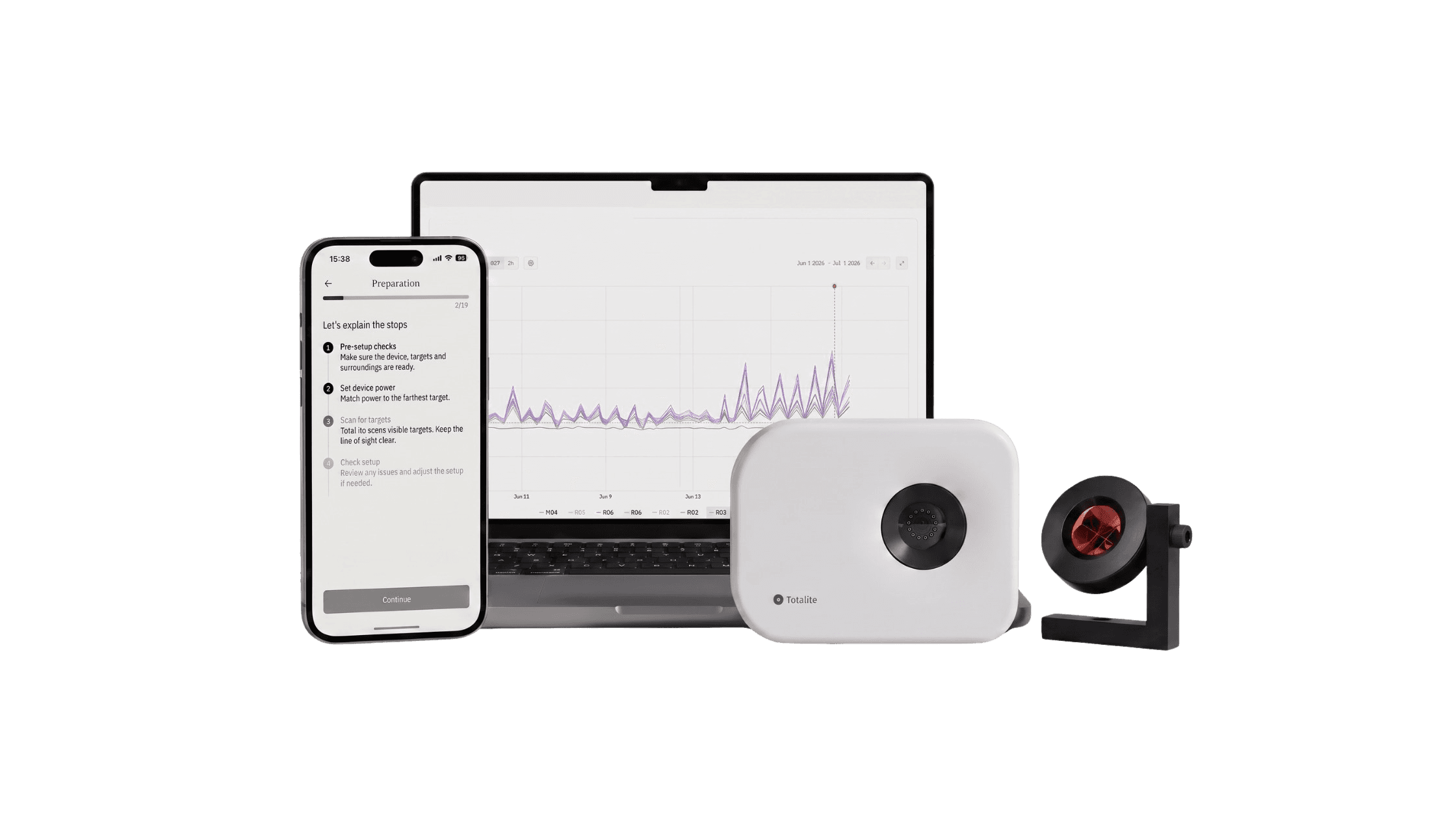
TotaLite app
It’s a kind of magic. Discover the app wizard.
Your on-site companion for sensor configuration and image validation. Built for the field, the app puts the essentials in your hands and guides you through sensor setup step by step.
Test access is granted by email. Sign in with your TotaLite Platform account.

Why the wizard
Setting up field monitoring shouldn’t be the hardest part of the job.
Surveyors and monitoring experts often arrive on site only to find a device isn’t assigned to the right project or a setup step was missed. By then, it’s an extra trip, not a quick fix.
The app wizard turns that around: a guided, step-by-step setup experience, with no technical background required, that gets your TotaLite sensor from unboxed to live monitoring correctly the first time.
01
Set up in minutes, not hours
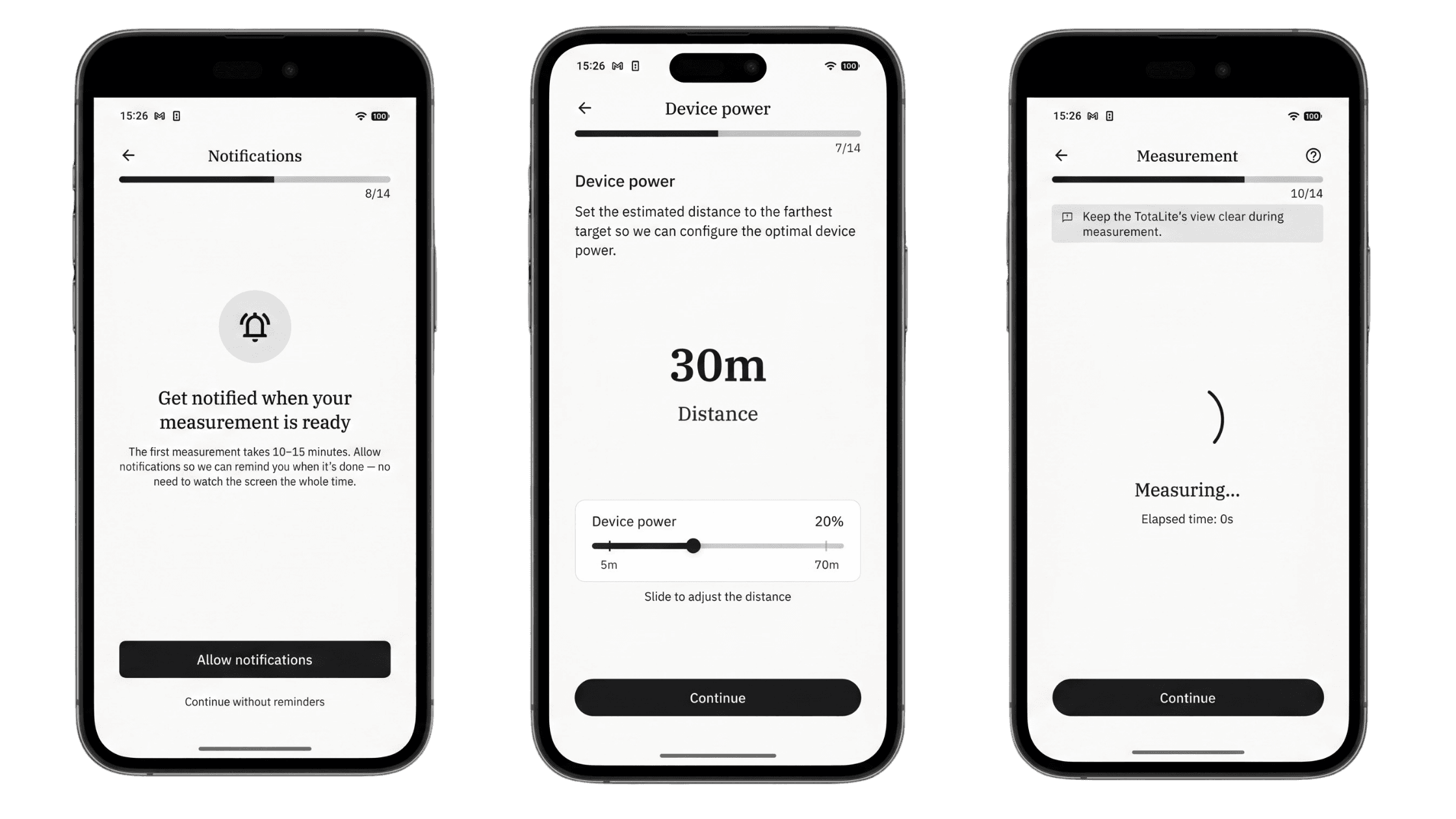
A guided 14-step flow covers power, notifications, measurements, target validation and more, replacing technical trial and error with a few guided taps.
02
No technical skill required
Anyone on your team can run a setup. The wizard explains every action in plain language, so expertise lives in the app instead of in your head.
03
Catch problems before they cost you a trip
Built-in checks flag issues like a device without a project or a required setup step left incomplete, so you can resolve them before reaching the field.
04
All your key device info, right in your hand
Device ID, firmware version and measurements taken are visible on site, so you always know the exact state of your device, with no guesswork.
05
Ready before you even arrive
Install and set up the app before heading to site, so your time there is spent monitoring, not troubleshooting.
Inside the app
Everything you need on site
Connect
Pair your phone with the TotaLite sensor and begin setup with confidence.
Device
View device information, validate images and adjust sensor settings in the field.
Guidance
Follow a clear, on-screen path from first connection to live monitoring.
Fourteen steps, from pre-setup checks to live monitoring
Watch the full installation
Before you begin
01. Is the TotaLite in position? Mount the device at the monitoring location, aimed at the targets.
02. Is the TotaLite connected to power? Confirm both M12 connectors are fully seated in the back panel.
03. Is the device online? Wait for the device status to show a stable connection before continuing.
01
Start the wizard
From Home or Devices, choose your device and tap Start setup to begin the guided sequence.
02
Validate each target
Use image validation to confirm that each target is visible and accurately framed before continuing.
03
Complete the handover
Your TotaLite is live. Return to the platform to set up the baseline and read the first measurements.
04
Prepare the device
Confirm the device is clean, stable and facing the targets before running image checks. A solid anchor point is essential for reliable measurements.
05
Run the image check
Review each captured image in the app. Every target should be visible, sharply framed and free from obstructions before you move on.
06
Record the slope distances
Measure from the device lens to each prism centre, then keep those values ready for baseline setup on the TotaLite Platform.
07
Set up the baseline
Back at the office, open the platform to define the project baseline, name reference targets and begin reading your first measurements.
Setup complete
Your device is ready for the work ahead.
Head to the TotaLite Platform to build your project baseline, review device data and keep monitoring moving.